
Most kids’ digital cameras move photos the same way as a regular point-and-shoot: by USB cable, by popping out a microSD card, or (less often) through a companion app. The exact steps depend on whether your child’s camera has internal storage only or uses a memory card.
Turn the camera off, plug it into your computer with the included USB cable, then turn the camera on (if required). On Windows, open File Explorer and look for the camera under “This PC” as a device or removable drive. On Mac, the camera may appear in Finder, Photos, or Image Capture. Open the DCIM folder (or a similar photo folder), then drag-and-drop the pictures to a folder on your computer.
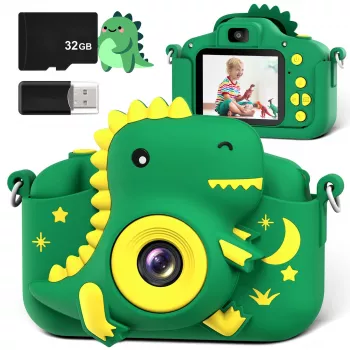
If the camera saves to a microSD card, power the camera off and remove the card. Insert it into a computer’s SD slot using an adapter, or use a USB card reader. Open the card on your computer, locate the DCIM folder, and copy the photo files to your preferred folder. Eject the card properly before putting it back into the camera to avoid corrupted files.
If you want photos on a phone, the easiest route is usually microSD: use a microSD-to-USB-C or microSD-to-Lightning reader (depending on your device), then import to your Photos app. Some kid cameras support Wi‑Fi or an app, but many budget models do not—check the camera’s manual or packaging for app details.
Try a different USB cable (some cables charge only), switch USB ports, and confirm the camera is powered on. If the camera has a “USB Mode” setting, choose “Mass Storage” when available. If files are missing, look for multiple folders (internal memory vs. card) or confirm the save location in the camera settings.
For help choosing a kid-friendly camera (and understanding common features like storage types), visit this kids digital camera guide.
Many kids cameras use microSD cards and work best with smaller capacities like 8GB–32GB, often formatted as FAT32. Check the camera’s manual for the maximum supported size to avoid read/write errors.






Leave a comment