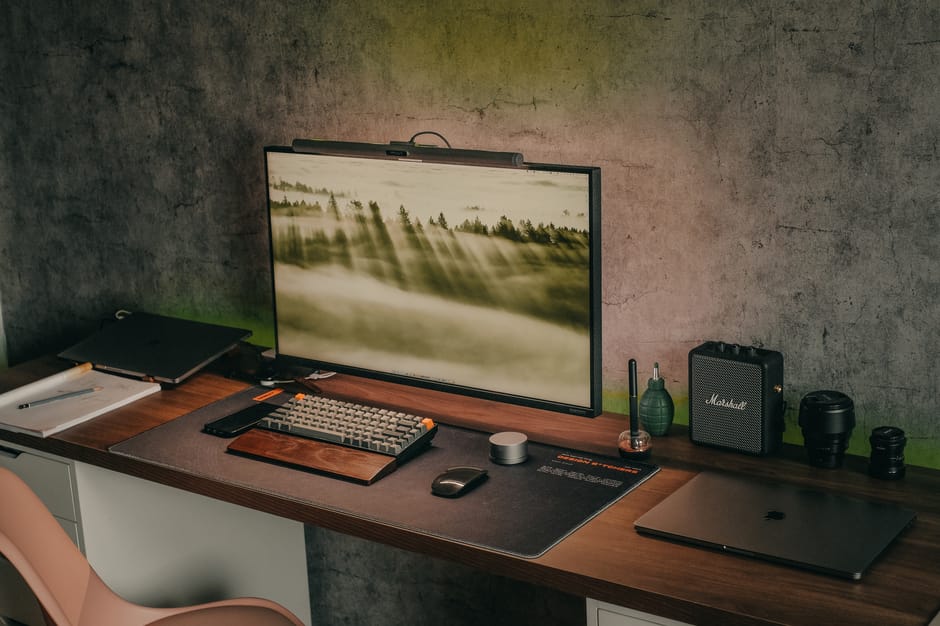
The rise of remote work has transformed how we approach our home office spaces, making effective organization more crucial than ever. A well-organized home office isn’t just about aesthetics—it directly impacts productivity, mental clarity, and overall work satisfaction. Whether you’re working from a dedicated room or a corner of your living space, implementing smart organization strategies can revolutionize your remote work experience.
The foundation of an organized home office lies in establishing distinct functional zones that serve specific purposes. Start by identifying your primary work activities: computer work, video calls, document review, and storage needs. Each zone should have dedicated space and resources.

Your primary work zone should center around your desk and computer setup. Position this area to take advantage of natural light while minimizing glare on your screen. The communication zone requires optimal lighting and a clean background for video calls—consider a dedicated corner with appropriate lighting and minimal distractions.
Create a reference zone for frequently accessed documents, books, and supplies within arm’s reach of your primary workspace. Finally, establish a storage zone for items used less frequently, keeping them organized but out of your immediate work area to reduce visual clutter.
Digital organization is equally important as physical organization in remote work environments. A cluttered digital workspace can be just as distracting and inefficient as a messy physical one. Implement a consistent file naming convention across all your digital documents and create a logical folder structure that mirrors your work processes.

Utilize cloud storage solutions to ensure seamless access to files across devices while maintaining automated backup systems. Organize your desktop by creating specific folders for active projects, keeping only essential shortcuts visible. Email organization should include a folder system for different projects, clients, or urgency levels, with regular archiving of completed items.
Consider using digital task management tools that integrate with your workflow. According to the General Services Administration, effective digital organization can increase remote work productivity by up to 25%. Establish daily digital cleanup routines, such as clearing your downloads folder and organizing new files before ending your workday.
Maximizing storage efficiency requires strategic thinking about both visible and hidden storage options. Vertical storage solutions make excellent use of limited space—consider tall bookshelves, wall-mounted organizers, and floating shelves that draw the eye upward while providing ample storage.

Invest in furniture pieces that serve multiple functions. Ottoman storage boxes provide seating and hide away seasonal items or backup supplies. Desk organizers with multiple compartments keep frequently used items accessible while maintaining a clean workspace appearance. Filing cabinets can double as printer stands or additional surface space when topped with a sturdy board.
Under-desk storage often goes underutilized but offers valuable real estate for CPU towers, rolling filing cabinets, or storage boxes. Behind-the-door organizers work excellently for supplies you need regularly but don’t want cluttering your workspace. Consider modular storage systems that can evolve with your changing needs over time.
Nothing disrupts a clean, organized workspace like tangled cables and scattered tech accessories. Effective cable management improves both aesthetics and functionality while making cleaning and equipment access much easier.
Start with a cable management tray or under-desk channel to route power cables and data connections cleanly. Use cable clips or adhesive cable holders to guide individual cables along desk edges and walls. Velcro cable ties offer reusable solutions for bundling cables while allowing easy access for changes.
Create a dedicated charging station for mobile devices, tablets, and other portable electronics. This prevents these items from cluttering your primary workspace while ensuring they’re always ready for use. Label cables and power adapters to eliminate guesswork when connecting or troubleshooting equipment.
Consider wireless alternatives where practical—wireless keyboards, mice, and printers can significantly reduce cable clutter. However, ensure you have reliable internet connectivity, as noted by the Federal Communications Commission guidelines for remote work infrastructure.
Sustainable organization requires developing daily habits that maintain order without consuming excessive time or energy. Implement the two-minute rule: if organizing or filing something takes less than two minutes, do it immediately rather than letting it accumulate.
Establish a daily shutdown routine that includes clearing your desk, filing documents, and preparing for the next day. This ritual creates psychological separation between work and personal time while ensuring you start each day with a clean, organized workspace.
Weekly organization sessions should focus on deeper cleaning and reorganizing. Use this time to purge unnecessary items, reorganize drawers and shelves, and assess whether your current systems are working effectively. Monthly reviews allow for bigger organizational changes and system improvements.
Create visual reminders of your organization systems through labels, color coding, or simple charts. The more intuitive your system, the more likely you’ll maintain it consistently. Consider using clear containers and open storage for frequently accessed items to reduce the friction of staying organized.
Proper lighting and ergonomic setup contribute significantly to an organized, functional workspace. Poor lighting can make organization efforts futile if you can’t see clearly, while ergonomic issues can disrupt your workflow regardless of how well-organized your space appears.
Layer your lighting with ambient, task, and accent lighting options. Desk lamps should provide adequate illumination for detailed work without creating shadows or glare. Position your monitor perpendicular to windows to minimize glare while taking advantage of natural light for overall room illumination.
Ergonomic organization means keeping frequently used items within easy reach to prevent strain and awkward movements. Your monitor should be at eye level, keyboard and mouse at elbow height, and feet flat on the floor or footrest. According to the Occupational Safety and Health Administration, proper ergonomic setup can prevent repetitive strain injuries and improve long-term productivity.
Organize your workspace to encourage good posture and movement throughout the day. Consider a standing desk converter or alternative seating options that promote active sitting. Keep water and healthy snacks easily accessible to how to improve daily productivity without disrupting your workflow.
The key to long-term organizational success lies in creating systems that adapt to your evolving needs while remaining simple enough to maintain consistently. Regular assessment and adjustment of your organizational systems prevent gradual decline back into chaos.
Schedule quarterly organization reviews to evaluate what’s working and what isn’t. Use these sessions to declutter accumulated items, upgrade organizational tools that aren’t performing well, and adjust your systems based on changes in your work requirements or available space.
Involve family members or housemates in understanding your organizational systems, especially if you share common areas. Clear boundaries and communication about workspace organization help maintain the systems you’ve worked hard to establish.
Consider seasonal adjustments to your organization systems. Winter might require different lighting solutions, while summer could call for adjustments to manage heat and glare. Flexibility in your approach ensures your organized workspace remains functional year-round.
Remember that perfect organization isn’t the goal—functional organization is. Your systems should support your productivity and well-being rather than creating additional stress through unrealistic standards. Focus on progress over perfection, and adjust your organizational strategies as you learn what works best for your specific work style and space constraints.
Effective home office organization for remote work combines thoughtful planning with practical implementation. By focusing on creating functional zones, implementing digital organization systems, optimizing storage solutions, managing technology effectively, developing sustainable habits, and maintaining ergonomic considerations, you can create a workspace that supports both productivity and well-being. The investment in time and effort to organize your home office will pay dividends in improved work satisfaction, increased efficiency, and better work-life balance in your remote work journey.




Leave a comment