HomeBlogBlogPiquadro Black Leather Laptop Backpack for Work Travel

Piquadro Black Leather Laptop Backpack for Work Travel

Piquadro Black Leather Laptop Backpack for Work Travel

Piquadro Black Leather Designer Backpack with Laptop Compartment

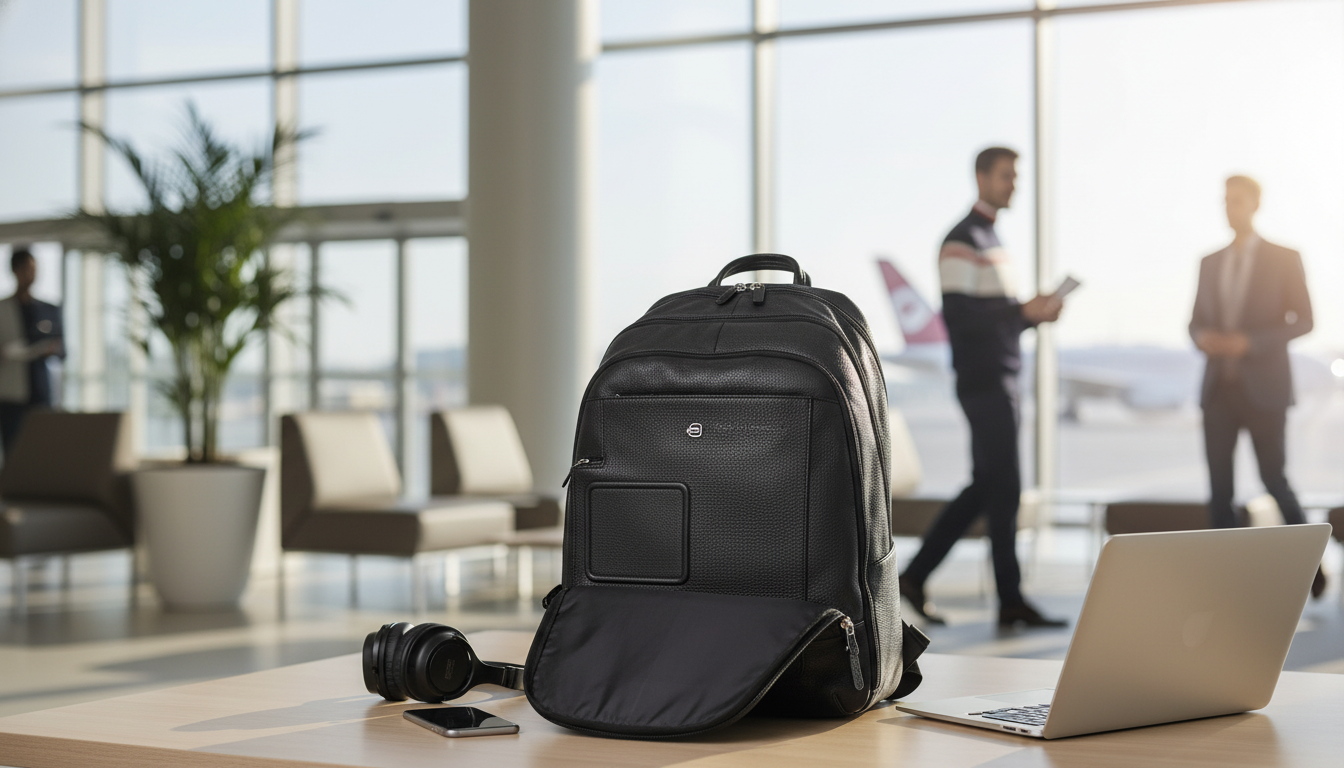
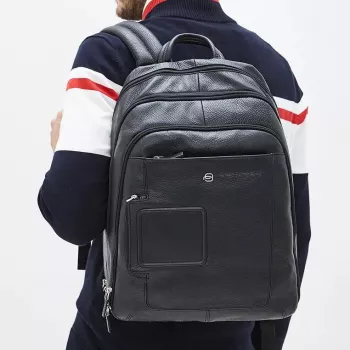
A structured leather backpack can bridge workdays, travel days, and off-duty errands without looking overbuilt. The Piquadro Black Leather Designer Backpack with Laptop Compartment pairs a polished exterior with a dedicated laptop compartment, aiming for a clean silhouette, organized storage, and an elevated finish suited to professional settings. For anyone who wants hands-free carry without swapping into an overly sporty daypack, this style lands in the “boardroom-to-boarding-gate” sweet spot.

What Makes This Backpack Stand Out

  • Refined black leather exterior: Black leather reads intentional in office, meeting, and travel environments—especially when the overall design stays streamlined.
  • Dedicated laptop compartment: A separate space for your device helps reduce shifting and keeps tech away from pens, keys, and loose accessories.
  • Minimal designer styling: Clean lines are easy to pair with formalwear, business casual, and smart streetwear without clashing with the rest of your outfit.
  • Backpack comfort with structure: You get hands-free commuting while keeping a more tailored look than soft, collapsing daypacks.

Quick Specs at a Glance

Detail Value
Product Piquadro Black Leather Designer Backpack with Laptop Compartment
Price 456.27 USD
Availability In stock
Primary use Laptop carry + everyday organization
Style Minimal, professional
Color Black
Material Leather (as listed)

Laptop Compartment: Fit, Protection, and Daily Practicality

A laptop compartment is more than a checkbox feature—it affects how your bag carries, how quickly you can pack, and how protected your device stays during real life (subway stops, tight conference seating, quick café resets).

  • Less surface damage over time: Keeping your laptop separate helps prevent scuffs and scratches caused by everyday items like keys, chargers, and pens.
  • More stable carry: A structured, separate compartment helps keep a device from tilting or sliding inside the main cavity when you walk or set the bag down.
  • Faster routines: “Tech in one place, accessories in another” saves time when you need to pull your laptop out at a meeting—or put it away quickly when boarding starts.
  • Better comfort when packed correctly: If you carry both a tablet and a laptop, place the flattest/heaviest piece closest to the back panel to reduce pressure and improve balance.

For the best fit, measure your laptop (especially if it’s in a protective sleeve) and compare it to the compartment sizing listed on the product page before purchasing.

Organization That Works for Commuting and Travel

Minimal on the outside doesn’t have to mean chaotic on the inside. A well-zoned backpack becomes a mobile workstation—useful for daily commuting, coworking sessions, conferences, and short business trips.

  • Create a “mobile desk” pocket: Store your charger, primary cable, and earbuds together so you can set up quickly wherever you land.
  • Reduce bag sprawl: Separate zones help keep small items from migrating to the bottom, especially when you’re moving between meetings, rideshares, and terminals.
  • One spot for documents on travel days: Reserve a dedicated pocket/section for ID, boarding pass, receipts, and a pen so you’re not digging at the worst possible moment.
  • Pack for comfort: Keep heavier items (laptop, battery bank) closer to your back and lighter items toward the front to reduce shoulder strain.

If you fly often, it’s also worth reviewing current guidelines on traveling with electronics and spare batteries to avoid checkpoint surprises. The TSA’s overview is a practical reference: TSA — Traveling with Batteries and Electronics.

Leather Care and Long-Term Wear

Leather looks best when it’s maintained consistently, not “rescued” after heavy wear. A few habits go a long way toward keeping a black leather backpack looking smooth and structured.

  • Post-commute wipe-down: After rainy or dusty days, wipe the exterior with a soft, dry cloth. If it gets wet, let it air-dry naturally—avoid direct heat sources.
  • Condition periodically: Use a leather conditioner at a sensible interval (often every few months, depending on climate and use) to help maintain suppleness and reduce dryness.
  • Avoid chronic overpacking: Structured leather bags hold their shape best when they aren’t constantly stretched to the limit.
  • Store upright: When not in use, store the backpack upright or lightly filled to preserve the silhouette.

For clarity on leather labeling and related terms, the Federal Trade Commission’s guidance is a helpful, authoritative baseline: Federal Trade Commission (FTC) — Leather Guides.

Styling Notes: From Office to Weekend

To lean into a streamlined, modern uniform on off-duty days, pair the backpack with a simplified palette and clean sneakers; the Modern Minimal Outfits with New Balance Guide – Effortless Style & Clean Streetwear Looks is a helpful add-on for building repeatable outfits that still look elevated.

In-Stock Picks to Consider

FAQ

Will this backpack work for daily commuting with a laptop?

Yes—its dedicated laptop compartment helps keep your device separated from everyday items, which improves organization, carry comfort, and protection. For the best fit, measure your laptop (including any sleeve) and compare it to the compartment dimensions listed on the product page.

How should a leather backpack be cleaned and maintained?

Wipe it with a soft, dry cloth regularly, spot-clean gently as needed, and let it air-dry naturally if it gets wet. Condition periodically to prevent dryness, avoid overpacking to preserve structure, and store it upright or lightly filled when not in use.

Is a leather backpack appropriate for business travel?

Yes—leather presents a professional look while the backpack format keeps your hands free for luggage and boarding passes. Use separate sections for chargers and documents, and pack heavier tech closer to your back to stay comfortable through terminals and meetings.

Was this article helpful?

Yes No
Leave a comment
Top

Shopping cart

×



